# DuniterNodeManager - v2 Node Manager
**URL:** https://forum.duniter.org/t/duniternodemanager-v2-node-manager/12783
**Category:** Tools
**Created:** [16 December 2024 10:41 UTC](https://forum.duniter.org/t/duniternodemanager-v2-node-manager/12783 "2024-12-16T10:41:55Z")
**Posts on this page:** 3
**Page:** 1
### Author:  [@bgallois](https://forum.duniter.org/u/bgallois)
#### Post date: [16 December 2024 10:41 UTC](https://forum.duniter.org/t/duniternodemanager-v2-node-manager/12783/1 "2024-12-16T10:41:55Z")
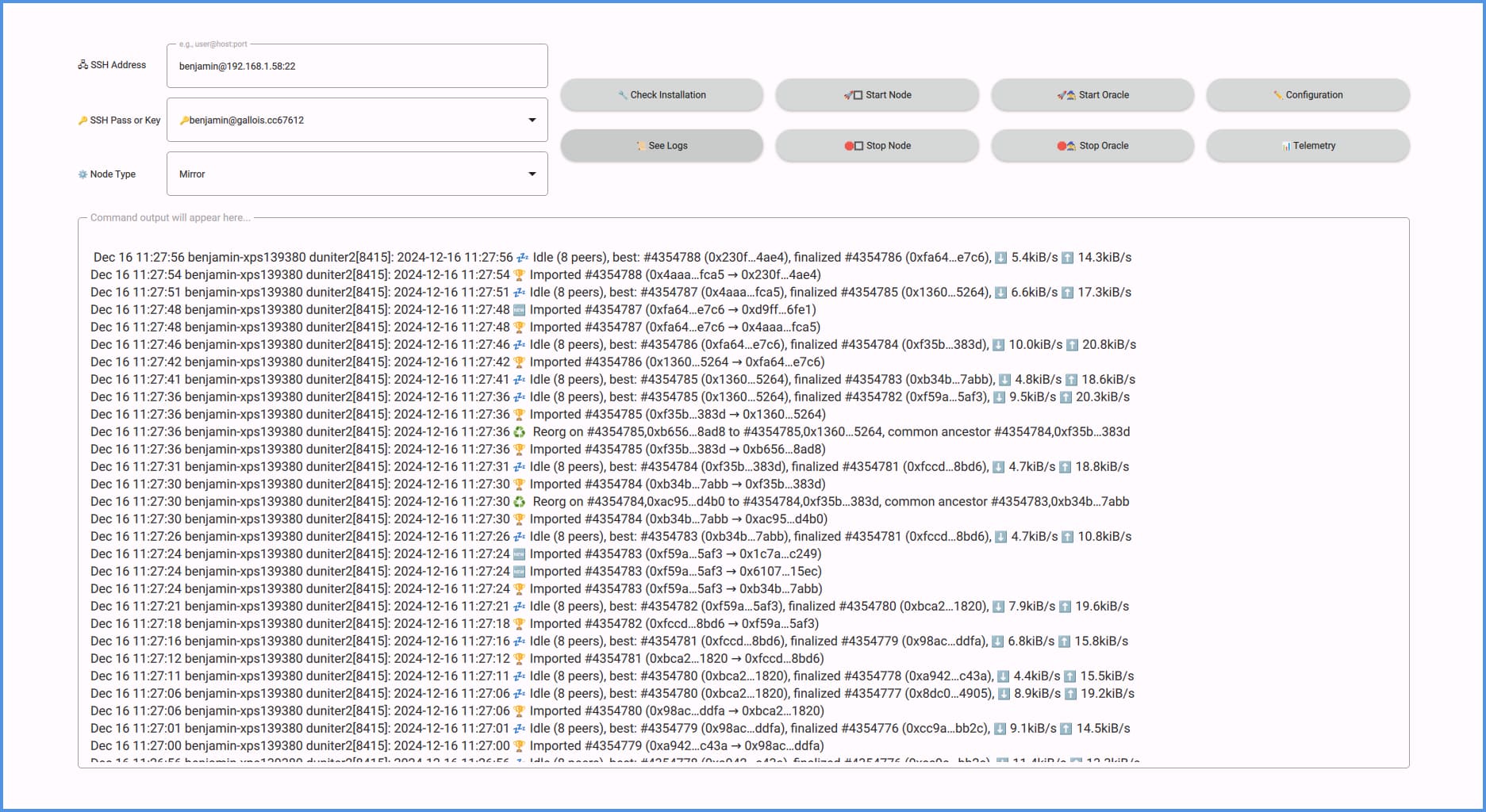
The DuniterNodeManager is a lightweight, cross-platform application for interacting with a Duniter-v2 node and oracle installed on a remote server. It provides a minimalistic interface for editing node and oracle configurations, starting or stopping the node and oracle, and checking their logs.
Each command initiates a single SSH connection, which closes immediately after execution, ensuring no persistent connections. The application supports both password-based and SSH key authentication, with SSH keys recommended for security.
DuniterNodeManager requires the node to be installed on the server and a list of commands (see [README](https://github.com/bgallois/DuniterNodeManager/blob/master/README.md)) to be cleared from the `sudo` password. The method is left to the server administrator based on the level of security they want to enforce.
Oracle interaction will only work with the next version of the Oracle [client](https://git.duniter.org/nodes/rust/duniter-v2s/-/merge_requests/296).
You can download the latest release of the Duniter Node Manager from the [releases page](https://github.com/bgallois/DuniterNodeManager/releases/latest) (available in EXE, AppImage, and App formats).
---
### Author:  [@poka](https://forum.duniter.org/u/poka)
#### Post date: [16 December 2024 20:28 UTC](https://forum.duniter.org/t/duniternodemanager-v2-node-manager/12783/2 "2024-12-16T20:28:50Z")
> [@bgallois](#):
>
> Each command initiates a single SSH connection, which closes immediately after execution, ensuring no persistent connections
So how can you follow logs in realtime without stable ssh connection?
Why this approach?
* * *
Can you activate issues on you github repo?
If I click on any button with no configurations, the app crash:
```auto
$ ./DuniterNodeManager-x86_64.AppImage
thread 'main' panicked at src/main.rs:58:42:
index out of bounds: the len is 1 but the index is 1
note: run with `RUST_BACKTRACE=1` environment variable to display a backtrace
thread 'main' panicked at core/src/panicking.rs:221:5:
panic in a function that cannot unwind
stack backtrace:
0: 0x55687626b4aa - ::fmt::h5b6bd5631a6d1f6b
1: 0x556876288aa3 - core::fmt::write::h7550c97b06c86515
2: 0x556876268c93 - std::io::Write::write_fmt::h7b09c64fe0be9c84
3: 0x55687626b2f2 - std::sys::backtrace::BacktraceLock::print::h2395ccd2c84ba3aa
4: 0x55687626c29c - std::panicking::default_hook::{{closure}}::he19d4c7230e07961
5: 0x55687626c0e2 - std::panicking::default_hook::hf614597d3c67bbdb
6: 0x55687626c877 - std::panicking::rust_panic_with_hook::h8942133a8b252070
7: 0x55687626c6d6 - std::panicking::begin_panic_handler::{{closure}}::hb5f5963570096b29
8: 0x55687626b989 - std::sys::backtrace::__rust_end_short_backtrace::h6208cedc1922feda
9: 0x55687626c39c - rust_begin_unwind
10: 0x55687621cf3d - core::panicking::panic_nounwind_fmt::h357fc035dc231634
11: 0x55687621cfd2 - core::panicking::panic_nounwind::hd0dad372654c389a
12: 0x55687621d095 - core::panicking::panic_cannot_unwind::h65aefd062253eb19
13: 0x556876224b59 - ::static_meta_object::static_metacall::hb3101262336e301a
14: 0x55687624a07f - _ZN10RustObjectI7QObjectE11qt_metacallEN11QMetaObject4CallEiPPv
15: 0x7f5e5ab849bd -
16: 0x7f5e5aa3e9e7 -
17: 0x7f5e5aa40339 - _ZNK3QV413QObjectMethod12callInternalEPKNS_5ValueES3_i
18: 0x7f5e5aa96787 -
19: 0x7f5e5aa9a1ef -
20: 0x7f5e5a9e94ba -
21: 0x7f5e5a9e9c77 - _ZN3QV48Function4callEP7QObjectPPvPK9QMetaTypeiPNS_16ExecutionContextE
22: 0x7f5e5ab45558 - _ZN24QQmlJavaScriptExpression8evaluateEPPvPK9QMetaTypei
23: 0x7f5e5aaeadab - _ZN25QQmlBoundSignalExpression8evaluateEPPv
24: 0x7f5e5aaeb628 -
25: 0x7f5e5ab6f69b - _ZN12QQmlNotifier10emitNotifyEP20QQmlNotifierEndpointPPv
26: 0x7f5e5c9c165e -
27: 0x7f5e47cd3ad9 - _ZN27QQuickAbstractButtonPrivate13handleReleaseERK7QPointFm
28: 0x7f5e47ce8f7b - _ZN13QQuickControl17mouseReleaseEventEP11QMouseEvent
29: 0x7f5e5aff0b06 - _ZN17QQuickItemPrivate19deliverPointerEventEP6QEvent
30: 0x7f5e5affb0b8 - _ZN10QQuickItem5eventEP6QEvent
31: 0x7f5e5b7844f2 - _ZN19QApplicationPrivate13notify_helperEP7QObjectP6QEvent
32: 0x7f5e5c96318a - _ZN16QCoreApplication15notifyInternal2EP7QObjectP6QEvent
33: 0x7f5e5b1a597b - _ZN26QQuickDeliveryAgentPrivate27deliverMatchingPointsToItemEP10QQuickItembP13QPointerEventb
34: 0x7f5e5b1a6846 - _ZN26QQuickDeliveryAgentPrivate20deliverUpdatedPointsEP13QPointerEvent
35: 0x7f5e5b1a796b - _ZN26QQuickDeliveryAgentPrivate19deliverPointerEventEP13QPointerEvent
36: 0x7f5e5b1a8b80 - _ZN26QQuickDeliveryAgentPrivate16handleMouseEventEP11QMouseEvent
37: 0x7f5e5b1aa616 - _ZN19QQuickDeliveryAgent5eventEP6QEvent
38: 0x7f5e5b096a77 - _ZN12QQuickWindow5eventEP6QEvent
39: 0x7f5e5b7844f2 - _ZN19QApplicationPrivate13notify_helperEP7QObjectP6QEvent
40: 0x7f5e5c96318a - _ZN16QCoreApplication15notifyInternal2EP7QObjectP6QEvent
41: 0x7f5e5bfc8600 - _ZN22QGuiApplicationPrivate17processMouseEventEPN29QWindowSystemInterfacePrivate10MouseEventE
42: 0x7f5e5c02277c - _ZN22QWindowSystemInterface22sendWindowSystemEventsE6QFlagsIN10QEventLoop17ProcessEventsFlagEE
43: 0x7f5e573dbcda -
44: 0x7f5e5a11e17d - g_main_context_dispatch
45: 0x7f5e5a11e400 -
46: 0x7f5e5a11e4a3 - g_main_context_iteration
47: 0x7f5e5cc1a76a - _ZN20QEventDispatcherGlib13processEventsE6QFlagsIN10QEventLoop17ProcessEventsFlagEE
48: 0x7f5e5c96e963 - _ZN10QEventLoop4execE6QFlagsINS_17ProcessEventsFlagEE
49: 0x7f5e5c96b41e - _ZN16QCoreApplication4execEv
50: 0x5568762497de - qmetaobject::qtdeclarative::QmlEngine::exec::hbaa8cdb651aa4c12
51: 0x556876221f2d - duniter_node_manager::main::hb32d63cb2eb85a72
52: 0x5568762273d3 - std::sys::backtrace::__rust_begin_short_backtrace::hd3c27644b90c97c5
53: 0x556876225e69 - std::rt::lang_start::{{closure}}::h0567b7d78dd87bb3
54: 0x556876266bce - std::rt::lang_start_internal::h1c66660c99c8424c
55: 0x556876224b95 - main
56: 0x7f5e5a634e08 -
57: 0x7f5e5a634ecc - __libc_start_main
58: 0x55687621d5be - _start
59: 0x0 -
thread caused non-unwinding panic. aborting.
```
Buttons should be disabled if no configuration set.
* * *
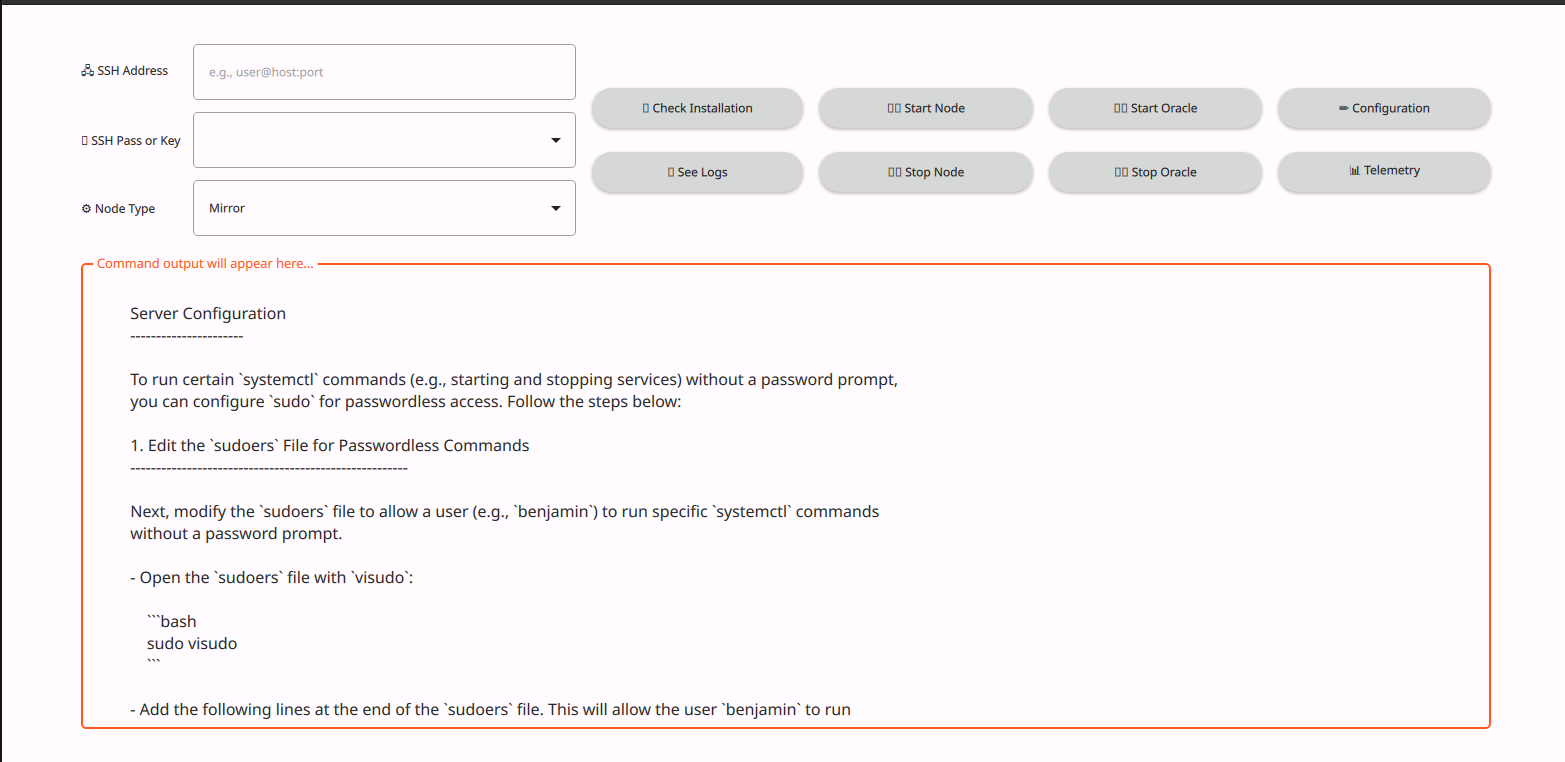
I think some icons are not found:
* * *
It automaticly found all my ssh keys in `~/.ssh` 👍
* * *
Unable to find my duniter mirror node:
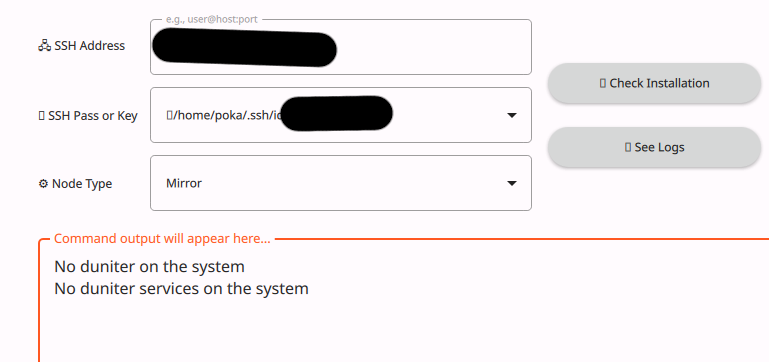

Cannot be used with Docker installation?
~~For systemd installation, require a root ssh access to be able to manipulate systemd?~~ → RTFM
* * *
Good project anyway !
---
### Author:  [@bgallois](https://forum.duniter.org/u/bgallois)
#### Post date: [17 December 2024 08:27 UTC](https://forum.duniter.org/t/duniternodemanager-v2-node-manager/12783/3 "2024-12-17T08:27:09Z")
There is no real-time log; it just pulls the log each time we request it. There is no icon that is entirely emojis, I will probably export the font with the executable next release to avoid any problem.
There is no intention of supporting Docker; this will only be for native installation with systemd.