A new pre-release version of Cesium is available!
The cesium.app website is currently being updated… The same goes for the Play Store, App Store, etc.
Please be patient!

In recent months, many of you have encountered multiple difficulties: transactions disappearing or being completely lost, “timeout” error, desynchronized node, etc.
We are well aware of these issues. They are related to several factors:
- on the one hand, to the new version 1.7 of Cesium, which introduces automatic node selection for Duniter, by random drawing among synchronized nodes;
- on the other hand, to the state of the Duniter nodes network, some nodes have been found to be misconfigured to work with Cesium, or using unstable versions of Duniter.
New Features
At Start-Up
Node selection at startup has been reviewed to select only those compatible with Cesium’s features. This should fix the previously explained problems.
My Operations
In “My Operations,” long comments are now more visible, whether on a phone:
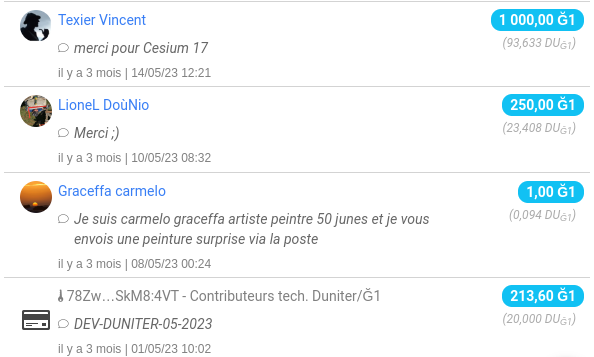
…or in a web browser:
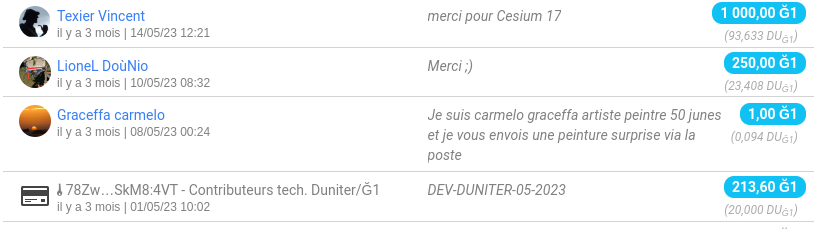
Other small improvements on this page:
- Refreshing the list no longer causes flickering of existing operations. Only new operations are animated;
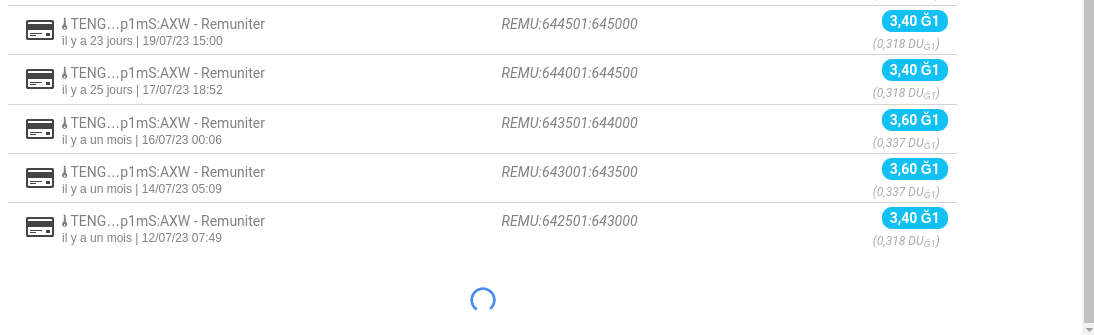
- loading older operations (at the bottom of the page) is now done directly by scrolling down. No need to click on “Show More” or “Show All”! Beyond 6 months of history, these buttons appear to limit the number of network requests.
Networks (in expert mode)
The network view now allows you to see the status of the waiting queues (or pools) containing pending documents (transactions and membership requests).
Only if you have activated “expert mode” in the settings,
and for nodes that have activated the BMA API
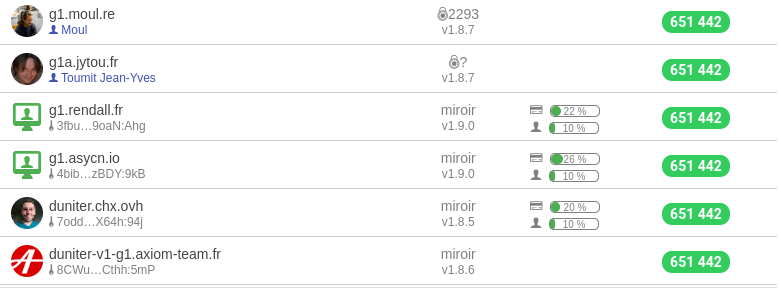
Another small novelty: you can now see if a node (BMA) properly archives the history of transactions. The symbol 
TX now appears in the API column.
Only visible in expert mode, by expanding the display of rows

Other Fixes
- Android / iOS: file downloading works! For the revocation file in particular, but also for the list of operations, the saving of identifiers, etc.
You will find the downloaded file in the “Downloads” directory (on Android) or “Documents” (on iOS);
- My Operations: the list of UDs is now correctly displayed (without going through the Duniter nodes to bypass a limitation, but through the Cesium+ pod if activated);
- Notifications: the number of messages or notifications is now correct when you log in for the first time on an account.
 Ultra-fast payments
 Improved network stability
 Stronger account security
